Coding Terminal Screensaver

A full-screen developer terminal that never stops working — commands, build logs and real source code scrolling by. Free, no install, no signup.
Coding Terminal Screensaver 免费使用 →

功能特性

Commands Typed Out Live

Every command line is typed character by character with a human-looking rhythm — small hesitations included — then the output floods in and the whole screen scrolls up.

Never Repeats Itself

Nothing is a fixed loop of canned text. Git status, npm installs, cargo builds, pytest runs, docker steps, kubectl output and streaming logs are assembled fresh every time, with new hashes, package versions, timings and filenames.

Real, Readable Source Code

Between commands the terminal pages through genuine TypeScript, Rust, Go and Python — schedulers, worker pools, mesh subdivision, async pipelines, GLSL shaders — all syntax highlighted.

Five Terminal Styles

Arch Linux, Windows CMD, the classic blue PowerShell, macOS Terminal and a monochrome green Hacker mode, each with its own prompt, palette, monospace font and content bias.

Boot Logs and System Output

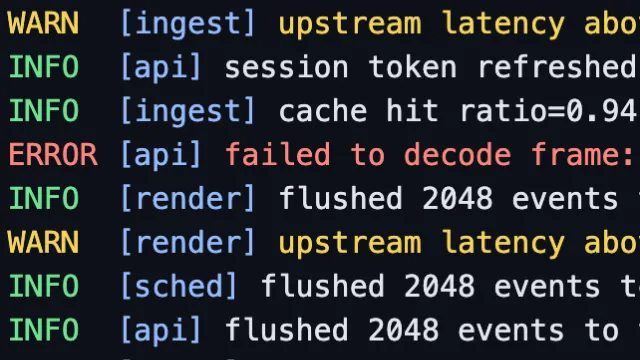
Linux dmesg lines with kernel timestamps, systemd unit startup, ISO-stamped INFO/WARN/ERROR streams, plus dir listings, ipconfig /all and chkdsk progress on the Windows styles.

Tap to Type Another Command

Click or tap anywhere and a brand-new command is typed in immediately, so you can keep the session moving whenever you feel like it.

使用方法

1

Open and watch

The terminal is already mid-session the moment the page loads — a full screen of output, with the next command being typed. Nothing to install or sign up for.

2

Tap the screen

Click or tap anywhere to have another command typed in right away.

3

Pick your style

Tap the gear button in the bottom-right corner to choose the terminal style, scroll speed, text size and what kind of content plays, and to toggle the typewriter effect, blinking cursor and syntax highlighting. Your choices are remembered.

常见问题

What is the coding terminal screensaver?
It is a full-screen simulation of a working developer terminal. Commands are typed out, output scrolls past, source files are printed and system logs stream by — the look of someone deep in a late-night coding session, with nothing for you to do but watch.
Is any of this real? Does it run commands?
No. Nothing is executed and nothing leaves your browser. Every line is generated locally by a content generator that assembles realistic-looking sessions, so it is entirely safe to leave on a screen anywhere.
Does it ever repeat?
The session is composed on the fly rather than replayed from a script. Commit hashes, package versions, timings, IP addresses, pod names and file sizes are all generated per line, so you will not see the same screen twice.
Which terminal styles are available?
Arch Linux, Windows CMD, PowerShell on its classic blue background, macOS Terminal, and a monochrome glowing-green Hacker mode. Each brings its own prompt and its own kind of output — the Windows styles show dir, ipconfig and chkdsk, the Unix ones show git, npm, cargo and dmesg.
Can I turn off the typewriter effect?
Yes. The typewriter effect, the blinking block cursor and syntax highlighting each have their own switch in the settings, and you can also set scroll speed, text size and whether you want shell commands, source code, system logs or a mix of everything.
Is it free?
Yes. Every screensaver on WebScreen is completely free, with no ads and no signup.
Is it safe to leave running for hours?
Yes. Lines live in a fixed-size ring buffer so memory never grows, the animation pauses in a background tab, and the palette drifts very slowly in hue and brightness over several minutes while the whole screen jitters by a pixel or two, which helps protect against burn-in. Where the browser supports it, the page also keeps your display awake.

← 返回 WebScreen 首页